
The Agents page
Agents lists the workspace’s agents as cards. New AI agent starts a request. A card is greyed out with Waiting for approval until the Kylo team approves it, shows Declined with the reason if the team declines it, and opens the agent once it is approved. Approved cards have a More menu with Rename and Delete. See Request an agent. An agent has a type, Chat today (Voice is coming soon), and a starting template: General, Lead Qualifier, Sales Consultant, or Custom. The template seeds the starting instructions.Agent types
Kylo agents come in types. Chat agents are live today: they talk to customers on WhatsApp and your website chat. Voice agents (inbound and outbound calls) and Social agents (posts, comments, and DMs at scale) are coming soon.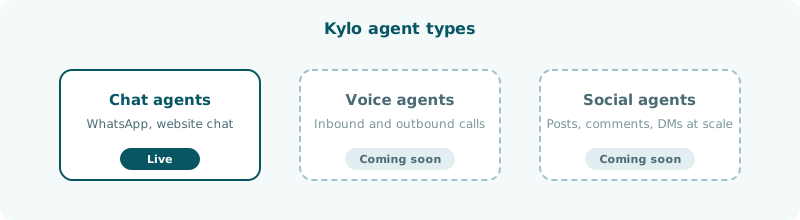
Inside an agent
The sidebar of an approved agent has these items.How an agent turn is built
On every turn Kylo gives the model the General and Guardrails text, the enabled tools, and, when your data sources match the message, a knowledge block of the best chunks. The workspace tokens@timezone, @current_time, and @website are replaced with their values first. The agent then replies or calls a tool, and each reply spends credits.
Instructions
The General and Guardrails text.
Tools
The 32 tools in four groups.